 CubicAI
 CUBICAI CHAT COCO
 Talk to your designs
A circuit design agent
A circuit design agent that lets AI read and work with your schematics and PCB layouts. Ask in natural language, and the AI runs the analysis tools and shows the results right on your designs.
- ODB++ · Allegro · EDIF
- Connect to multiple LLM services
- Windows
Ask a question. See it in action.
PCB layouts and schematics, in one place
Find, highlight, and zoom
Ask for components and Nets, and the built-in CAD Viewer shows them right away.
- Look up components and Nets, and highlight them on the design
- Request several tasks at once for step-by-step analysis
- Open ODB++ and Allegro designs directly in the app
Browse sheets. Inspect connections.
Browse EDIF schematics by sheet. Click components and wires to inspect properties and connected pins.
- Browse schematic sheets
- Inspect component and Net properties
- Look up connected pins
Check and summarize through conversation
Ask a question to check connections or get an S-parameter summary.
- Check schematic connections, including single-node Nets
- Review check results in a table
- Summarize insertion loss and return loss from Touchstone files
Coco tools & CubicAI in DRC
Design analysis CLI for AI agents
Command-line tools that integrate directly with AI agents like Claude Code and Codex to analyze PCB/PKG designs.
- Query design parameters, Layers, Nets, and components
- Measure component distances, find nearby components, and check Net clearance and overlap
- ODB++, Cadence Allegro · Windows / macOS / Linux
$ coco list-layers --input design.odbsignal_top | signal_inner1 | ... | signal_bot$ coco list-nets --input design.odb --pattern "VCC*"VCC_3V3 | VCC_5V | VCC_1V8 Open PCB/PKG designs in your browser
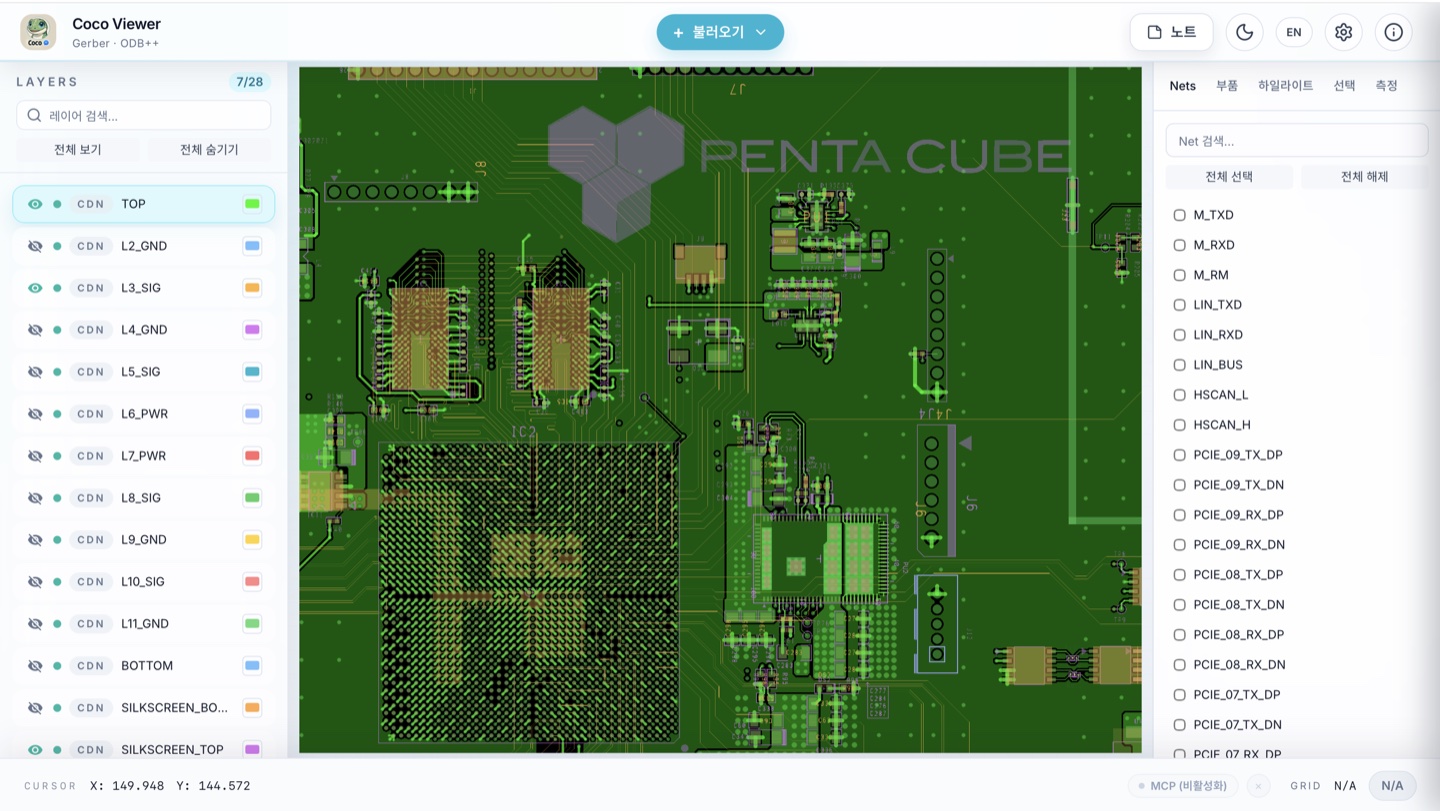
Open ODB++, Gerber, and Allegro designs in your browser without installing anything. MCP tools let AI open, analyze, and visualize PCB/PKG designs, highlight items, and navigate the view. The same viewer is also built into Chat Coco.
- Open designs in your browser without installation
- MCP server for AI integration
- High-performance rendering and Scene management
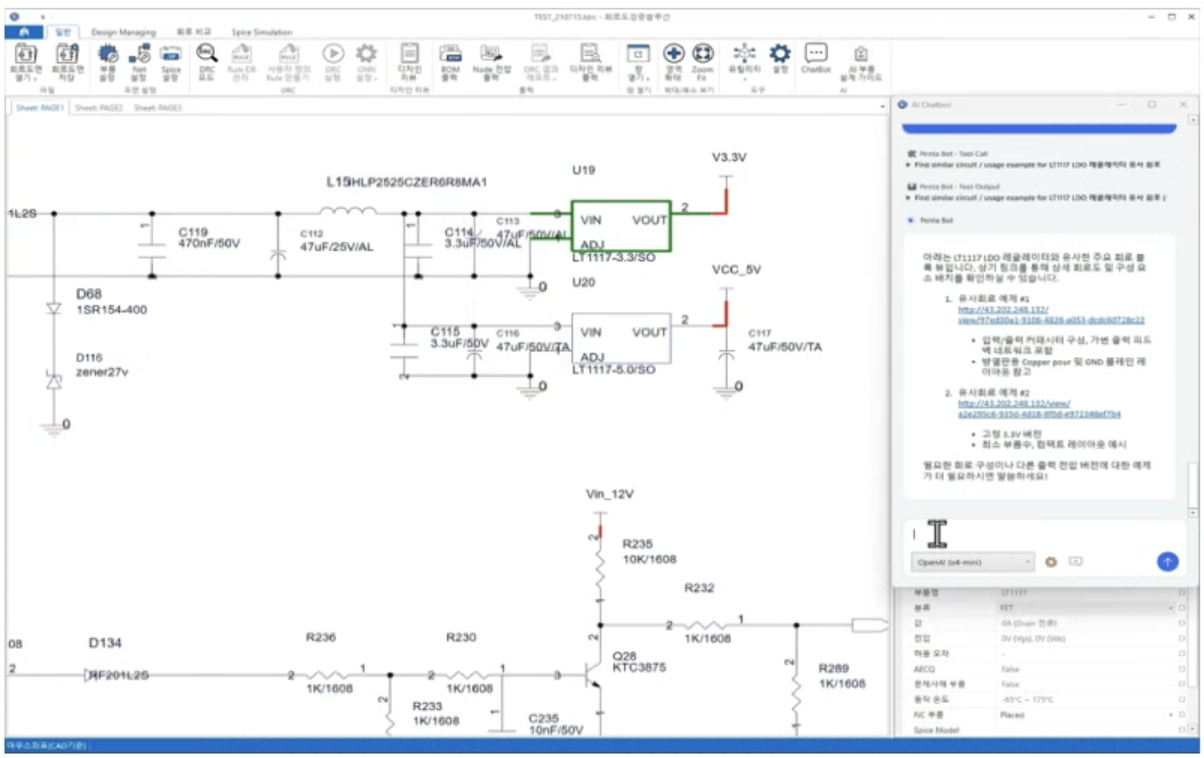
AI-integrated Logical DRC solution
An AI chat-integrated solution built on CubicLDRC, enabling conversational schematic-based DRC rule creation and design verification.
- Interactive AI chat for real-time design verification
- Configure components and Nets, and generate rules from datasheets
- Run server-based DRC and review results in chat
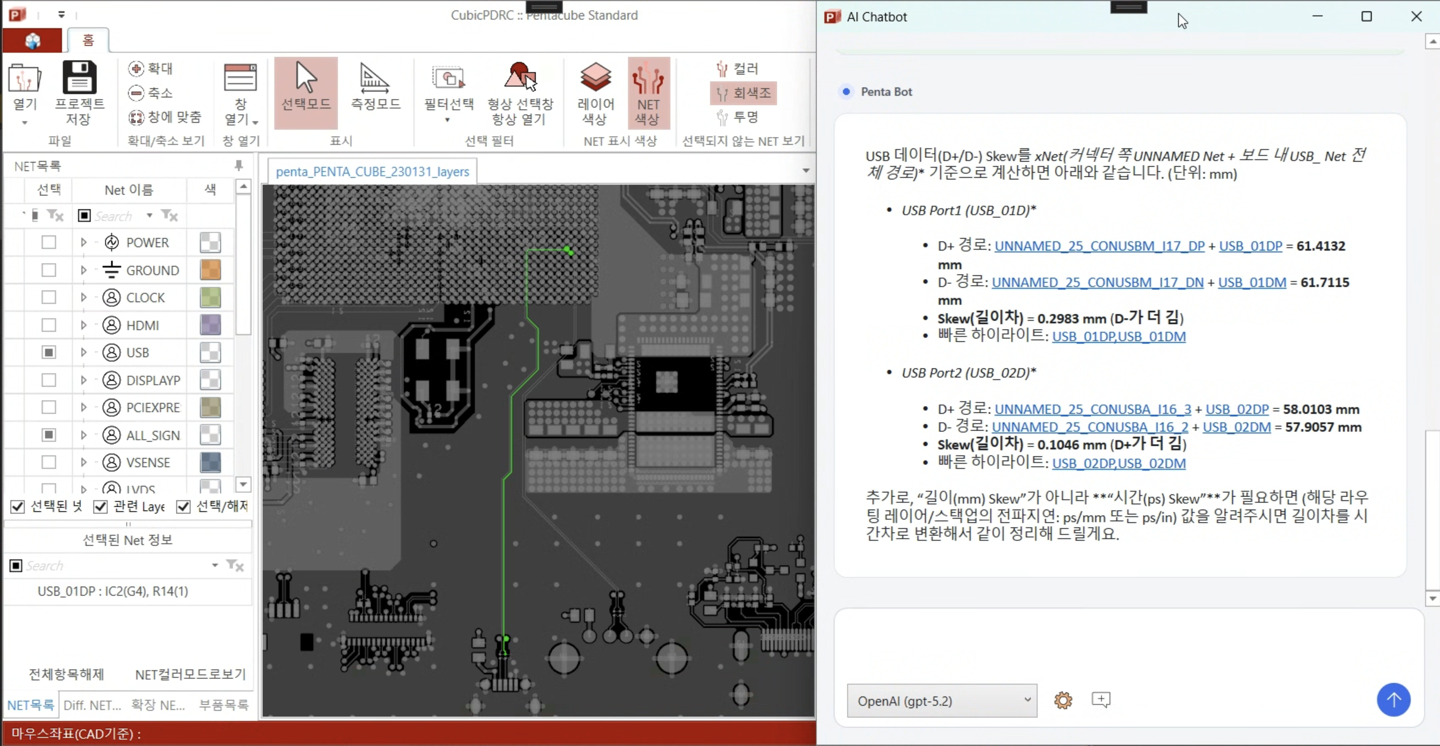
AI-integrated Physical DRC solution
An AI chat-integrated solution built on CubicPDRC, enabling conversational PCB/PKG layout (artwork) design verification and automated report generation.
- Interactive AI chat for design verification
- AI-powered differential net configuration automation
- AI-generated DRC verification reports